We have compiled a list of manufacturers, distributors, product information, reference prices, and rankings for CAM.
ipros is IPROS GMS IPROS One of the largest technical database sites in Japan that collects information on.

CAM(cad 利用) - List of Manufacturers, Suppliers, Companies and Products

CAM Product List

1~3 item / All 3 items

Displayed results

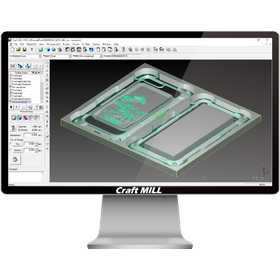
Design and Prototyping CAM System "Craft MILL"

Simple multiple-choice operations that can be used by designers and planners.

Craft MILL is equipped with a database based on experimental values for tool and material settings, which are considered difficult to configure. Therefore, all tasks leading up to outputting processing data are done through a selection method, allowing anyone to use it easily and safely. Of course, detailed parameter settings for professional use are also available, so it can adequately handle advanced processing as well.

  • 3D CAM
  • Prototype Services
  • 3D Printer
  • CAM

Added to bookmarks

Bookmarks list

Bookmark has been removed

Bookmarks list

You can't add any more bookmarks

By registering as a member, you can increase the number of bookmarks you can save and organize them with labels.

Free membership registration

Fully Automatic Hole and Pocket Machining CAM System【Prog-Lesys】

Fully Automatic Hole and Pocket Machining CAM System [Prog-Lesys]

◆Solid Data Import Formats◆ Solid Works Direct Interface Inventor Direct Interface CATIA V5 Direct Interface Solid Edge Direct Interface Pro ENGINEER Direct Interface Para Solid・ACIS Interface ◆Automatic Hole Feature Recognition◆ Automatically detects hole features from the imported solid shape. NC data is automatically generated from the detected hole features using the diagram function. ◆Diagram Function◆ The diagram function is a feature that succinctly represents the "complex processing steps and processing know-how" that customers actually perform in various hole machining processes in a diagrammatic form. By using the diagrammatic representation of the diagram function, NC data can be automatically generated without causing processing errors, allowing for standardization of the process. Additionally, the time required to create NC data can be significantly reduced.

  • Other CAM related software
  • 3D CAM
  • CAM

Added to bookmarks

Bookmarks list

Bookmark has been removed

Bookmarks list

You can't add any more bookmarks

By registering as a member, you can increase the number of bookmarks you can save and organize them with labels.

Free membership registration

2D・2.5D CAD/CAM NAZCA CAM Mill

Low-cost CAD/CAM for machining. Can be implemented in configurations as needed, from 2D, 2.5D, to hole processing. *Demo available.

The "NAZCA CAM Mill" series is an affordable CAD/CAM for machining and milling that allows you to choose the software configuration based on the processing content. You can select configurations for CAD, 2D processing, 2.5D processing (with optional projection calculations), and hole processing. *CAD functions are included in each processing module. [Features] ■ NAZCA5 CAD Standard equipped with 2D CAD functions. You can efficiently create drawings by snapping to endpoints, midpoints, and the centers of circles. It is also possible to create a single-stroke drawing by clicking on the necessary parts to delete the unnecessary ones. ■ Shorten the time for creating processing programs Chamfering can be easily set up with just condition input. ■ Easily create 3D shapes (2.5D) You can easily create various 3D shapes using 2D drawings such as cross-sections and top views. It is possible to add R/C surfaces during the processing instructions for 3D shapes. ■ Easy processing setup even with mixed hole counts and diameters In addition to selection from shapes, you can perform bulk selection by specifying seat diameters, drawing colors, and line types. You can assign processes manually or automatically to the selected holes. *Please view the PDF data from the download button below.

  • 2D CAM
  • 2D CAD machine
  • Other CAM related software
  • CAM

Added to bookmarks

Bookmarks list

Bookmark has been removed

Bookmarks list

You can't add any more bookmarks

By registering as a member, you can increase the number of bookmarks you can save and organize them with labels.

Free membership registration